Likes do not tell you which post sold the thing, grew the newsletter, or got someone to try your tool.
UTM links help with that. They add campaign parameters to your URL so analytics tools can group traffic by source, medium, campaign, term, or content. Google's campaign URL guidance describes these parameters as a way to identify traffic from campaigns and referral links in Analytics.
Use the free UTM Campaign URL Builder to create properly encoded links for X, LinkedIn, newsletters, or paid campaigns.
Quick answer: what UTM tags should creators use for X?
For most X posts, use:
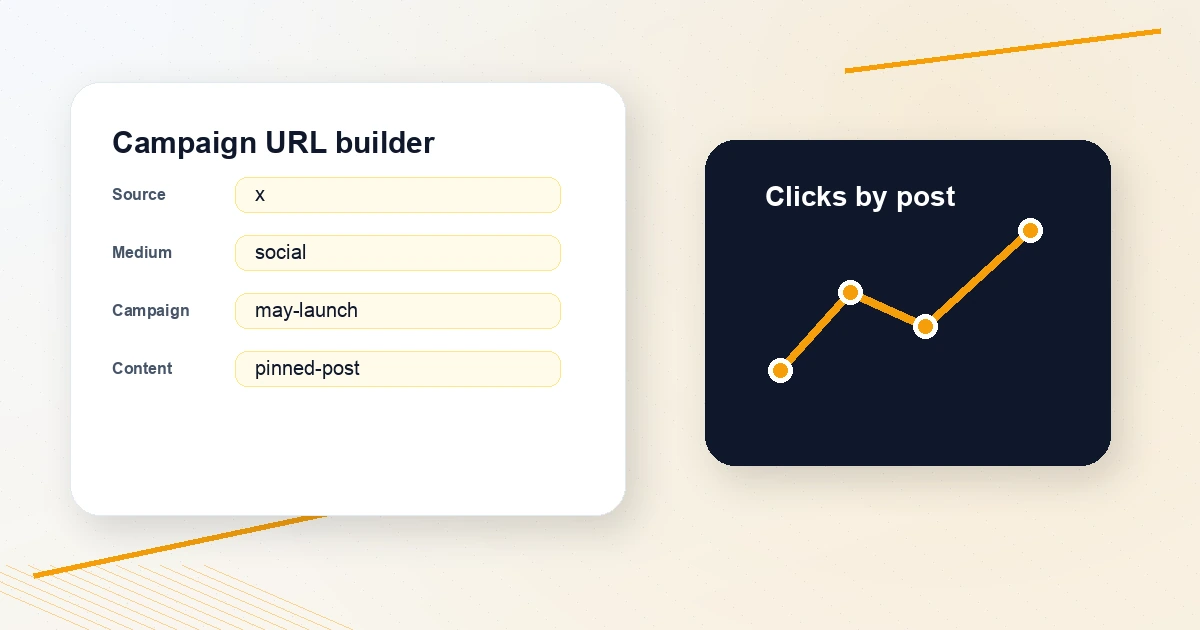
utm_source=x
utm_medium=social
utm_campaign=[campaign-name]
utm_content=[post-or-cta-name]
Example:
https://example.com/guide?utm_source=x&utm_medium=social&utm_campaign=may-launch&utm_content=pinned-post
Keep names lowercase and consistent. X, x, and twitter can appear as different sources in analytics.
The five UTM fields
Source
Where the traffic comes from.
For X, pick one convention and keep it:
x
or
twitter
Do not switch every week.
Medium
The channel type:
social
email
cpc
referral
For organic X posts, use social.
Campaign
The broader initiative:
may-launch
profile-audit-push
newsletter-growth
This is how you compare a group of posts.
Content
The specific post, CTA, or placement:
pinned-post
thread-cta
reply-link
bio-link
This is useful when several posts point to the same page.
Term
Usually for paid search keywords. Most creators can leave it blank for organic X posts.
A simple naming system
Use this:
source: x
medium: social
campaign: month-topic
content: placement-angle
Examples:
| Use case | Campaign | Content |
|---|---|---|
| Pinned post link | profile-tools | pinned-post |
| Thread CTA | reply-workflow | thread-final |
| Bio link | creator-tools | bio-link |
| Launch post | may-launch | launch-announcement |
The UTM Campaign URL Builder lowercases and trims values automatically because consistency matters.
When to use UTMs
Use UTMs for:
- Your pinned post
- Bio links
- Launch posts
- Newsletter CTAs
- Tool announcements
- Paid or partner posts
- Cross-platform campaigns
Do not add UTMs to someone else's link just to share it. If you are sharing a source, clean the link with the Tweet Link Cleaner or use the Tweet Source Link Extractor for X reposts.
Pair click tracking with engagement metrics
UTMs tell you what drove traffic. They do not tell the full social story.
Pair them with:
- Twitter Engagement Rate Calculator
- Best Time to Post on X
- Twitter Hashtag Density Analyzer
- Posting Calendar Generator
This helps you separate "got likes" from "drove useful action."
FAQ
Do UTM links hurt reach on X?
There is no reliable public rule that a UTM parameter itself hurts reach. The bigger issue is trust and readability. Use clean anchor text in surrounding copy, and only add UTMs when you need tracking.
Should I use x or twitter as the source?
Either can work. Pick one and keep it consistent. If your historical analytics use twitter, keep using it. If you are starting fresh, x is short and current.
Should I clean UTM links before sharing?
Clean UTMs when sharing someone else's resource. Keep UTMs for your own campaigns. Use Tweet Link Cleaner for cleanup and UTM Campaign URL Builder for campaign links.
Build the link before you post
Open the UTM Campaign URL Builder, enter your destination URL, source, medium, campaign, and optional content label, then copy the final tracking URL.
You do not need complicated analytics to start. You need consistent names and the discipline to tag the posts that matter.