Somewhere in your Downloads folder is a file called twitter-2024-...-archive.zip. Twitter gave it to you when you requested your data. You opened it once, saw a folder of JavaScript files and a single index.html that fights every modern browser, and then closed it. It's been rotting there ever since.
That's a shame, because your archive contains every tweet you've ever posted, what got liked, what got replies, and who you talked to. It's the only honest record of how your X presence actually grew. We built a free archive viewer that opens the zip directly in your browser.
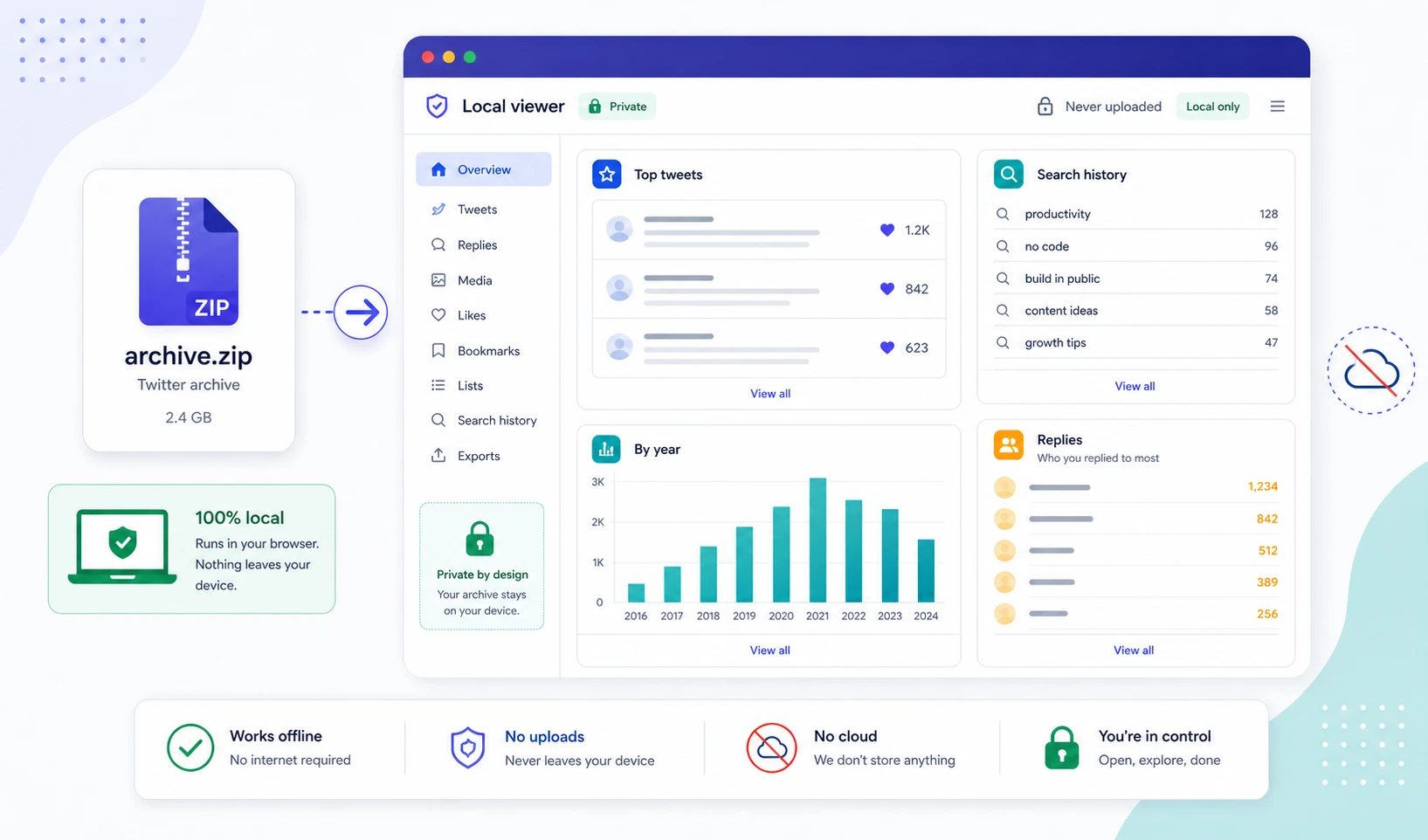
Your archive is processed entirely in your browser tab — it never leaves your device. We don't have a server-side endpoint that accepts archive uploads. There's no place for the file to go even if we wanted it.
What you can do with it
Once you upload the zip, four panels open up.
Top tweets. Your archive contains favorite, retweet, and reply counts as of the day you exported it. Sort the top 50 by any of those metrics and see which posts actually carried your account. The answers are almost always surprising — usually it's not the tweets you remember writing.
Search. Full-text substring search across every tweet you've ever posted. Useful when you remember tweeting about something three years ago and want to find the exact wording so you can either link back to it or quote yourself.
By year. A simple count of how many tweets you posted each year. The pattern of your activity over time tells you a lot — when you stopped posting, when you picked it back up, what your "good year" actually looked like.
Who you replied to most. The top 20 accounts you've replied to, ranked. This one is humbling. The accounts you think you talk to most are usually not the ones you actually talk to most.
How to get your archive from X
X still provides full archives, but the workflow has changed a few times. As of writing:
- Open X on desktop.
- Settings and Support → Your Account → Download an archive of your data.
- Confirm your password and identity.
- Wait. X takes 24-48 hours to prepare the archive, then notifies you.
- Download the ZIP. Do not unzip it. Drop the zip directly into our archive viewer.
The archive contains a data/ folder with files like tweets.js, tweets-part1.js, account.js, and many others. The viewer reads the tweets files and the account file to build the panels above. Everything else in the archive is ignored.
Why we built this
Two reasons.
One: every creator we know has an archive sitting unopened on disk and never thinks about it. We wanted to make it one-click viewable so people would actually look at their own history.
Two: the obvious version of this is a SaaS that ingests your archive server-side and charges you $9/month to view it. We didn't want to build that. Archives are intimate — they include DMs, in some configurations — and they shouldn't leave your device for any reason. The browser can read a zip without uploading it; the only honest version of this tool is the local-only one.