"My engagement rate sucks." Compared to what? "My posts don't get views." Posted when?
Most of what gets called X analytics is either (a) X's own dashboard, which doesn't benchmark against anything, or (b) a SaaS that charges $30/month for what is genuinely a small amount of math. We extracted the small useful pieces and put them on the public site as free tools. No API key (X killed the free tier), no signup, no upload — runs entirely in your browser against numbers you type in.
Three of them. Here they are.
1. Twitter Engagement Rate Calculator
Paste your likes, replies, retweets, and follower count. Get your engagement rate as a percentage, plus the median benchmark for your follower bracket — so you know whether the number is good or bad without having to scour Reddit.
The formula varies by who's defining it. We use the most common one: (likes + replies + retweets) / followers × 100. Some calculators add bookmarks and views; we leave those out because (a) bookmarks aren't always public, and (b) views are inflated for early-feed-position tweets in ways that don't reflect engagement quality.
Use case: you posted something that did better than usual and you want to know if "better than usual" actually means "objectively good." Or you posted something that did worse than usual and you want to know if it's bad-bad or just below-average-bad.
2. Best Time to Post on X (by timezone)
Auto-detects your timezone, then gives weekday-aware recommendations for when to post on X. Not based on "what some marketing blog wrote in 2019" — based on aggregated engagement timing data across creator-type accounts, broken out by weekday because Tuesday morning and Saturday morning are not the same animal.
The cheat code most people miss: your audience's timezone matters more than yours. If you tweet in PST but 60% of your followers are in EST, the "best time for you" is shifted by three hours from what a generic recommender would say. The tool defaults to your local time but you can toggle to a different timezone to see when your audience there is most active.
Use case: scheduling threads. Your reply game is whenever-the-tweet-shows-up, but original posts and threads benefit from being timed.
3. Twitter Hashtag Density Analyzer
Paste a tweet, see how many characters your hashtags are consuming, and get flagged for overuse.
Two things to know about hashtags on X that this tool surfaces:
- They count against your 280 characters.
#productivityis 13 characters. Five of those and you've burned half a tweet. - More than 2-3 hashtags hurts engagement more than it helps. X's algorithm doesn't reward hashtag-heavy posts; if anything it suppresses them as spammy. The tool flags you if you're over the threshold.
Pair this with our Hashtag Generator — that one suggests which hashtags fit your tweet; this one tells you whether you're using too many of them.
Use case: you wrote a tweet, started hashtag-stuffing it because some old playbook said to, and want a sanity check before posting.
What none of these do
These tools don't connect to your X account, don't scrape your tweets, don't show your historical performance, and don't predict the future. They do the math on numbers you provide. That's a feature: no OAuth flow, no permissions screen, no "share my data with this app" anxiety. Type in what you've got, get a number back.
If you want continuous tracking, X's own analytics tab is free (sort of) and runs against your real account. So does the Stats tab in Scheduler Studio if you schedule through XposterAI — it tracks engagement for a week after each post goes out and learns your best hours from your own results rather than aggregate data. These tools are for the moment-of-decision: "is this number good?" / "should I post now?" / "is this tweet too hashtag-heavy?"
Try them
- Engagement Rate Calculator → — your rate plus the benchmark
- Best Time to Post on X → — by timezone and weekday
- Hashtag Density Analyzer → — characters consumed, overuse flag
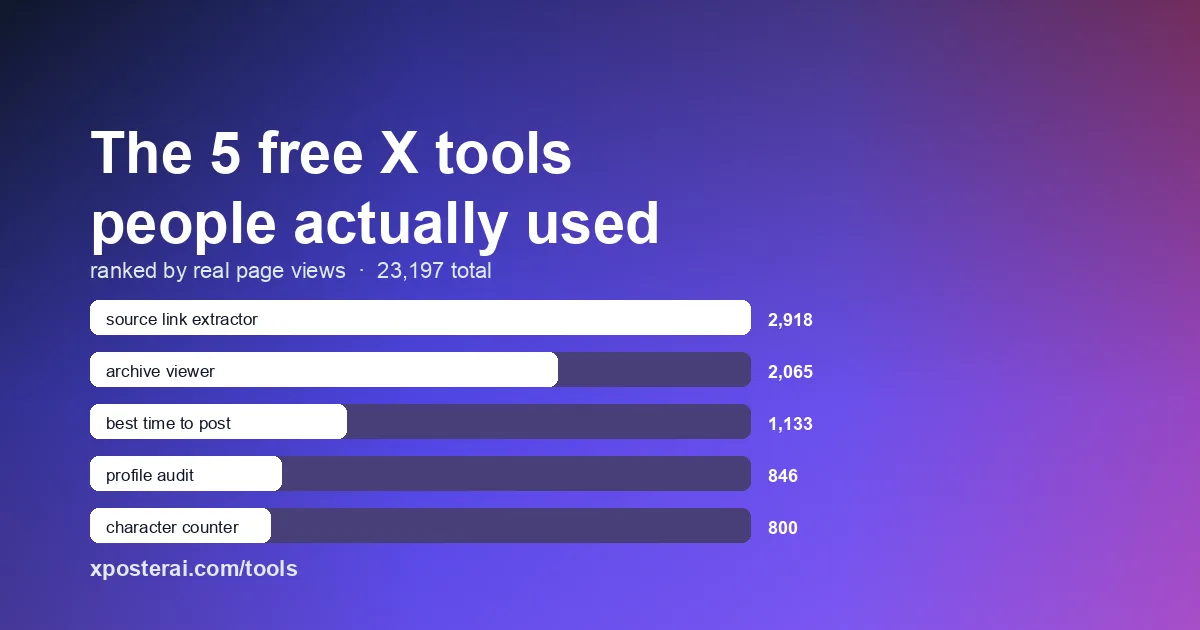
Or browse everything at xposterai.com/tools/.
If you reply on X often and want AI-generated replies in your own voice, the XposterAI Chrome extension gives you free AI credits every day — no card required.