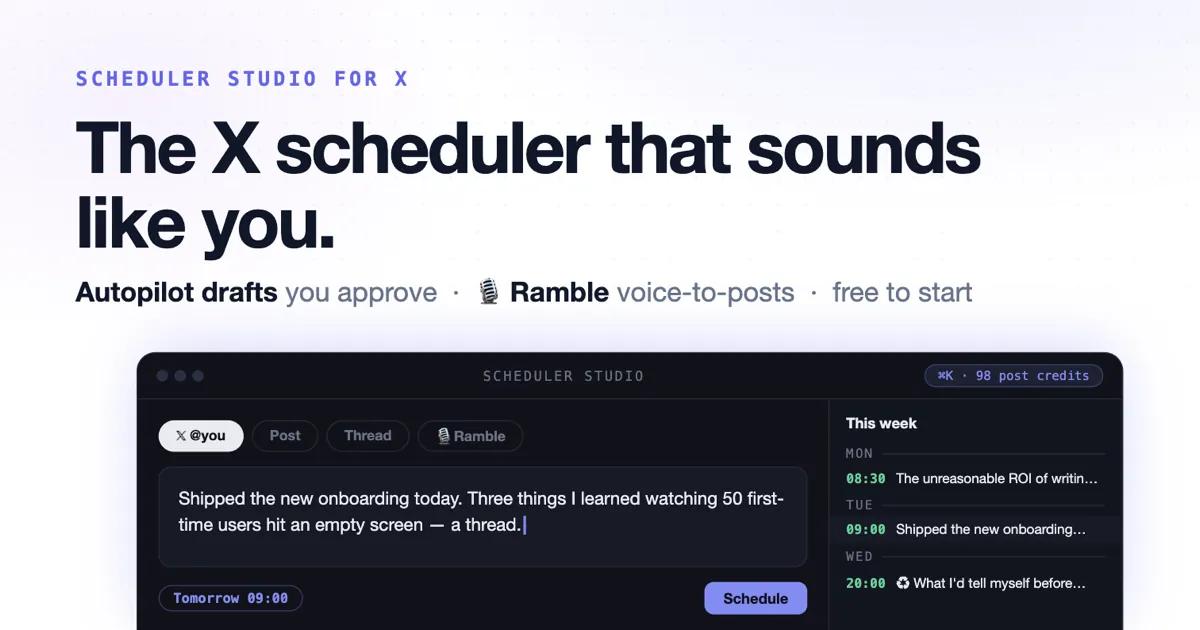
Most X schedulers were designed a decade ago: a form, a datetime picker, a table of pending posts. You do all the thinking; the tool does the waiting.
Scheduler Studio is our answer to a different question: what if the scheduler did the thinking, and you kept the control? It plans your week, writes drafts in a voice trained on your own posts, turns five minutes of talking into a thread, recycles your winners, and learns your best posting hours from your own results — and it never publishes a single word without your approval.
Here's the full tour. (Screenshots are from a demo workspace — your numbers will be your own.)
One screen that thinks in weeks, not tweets
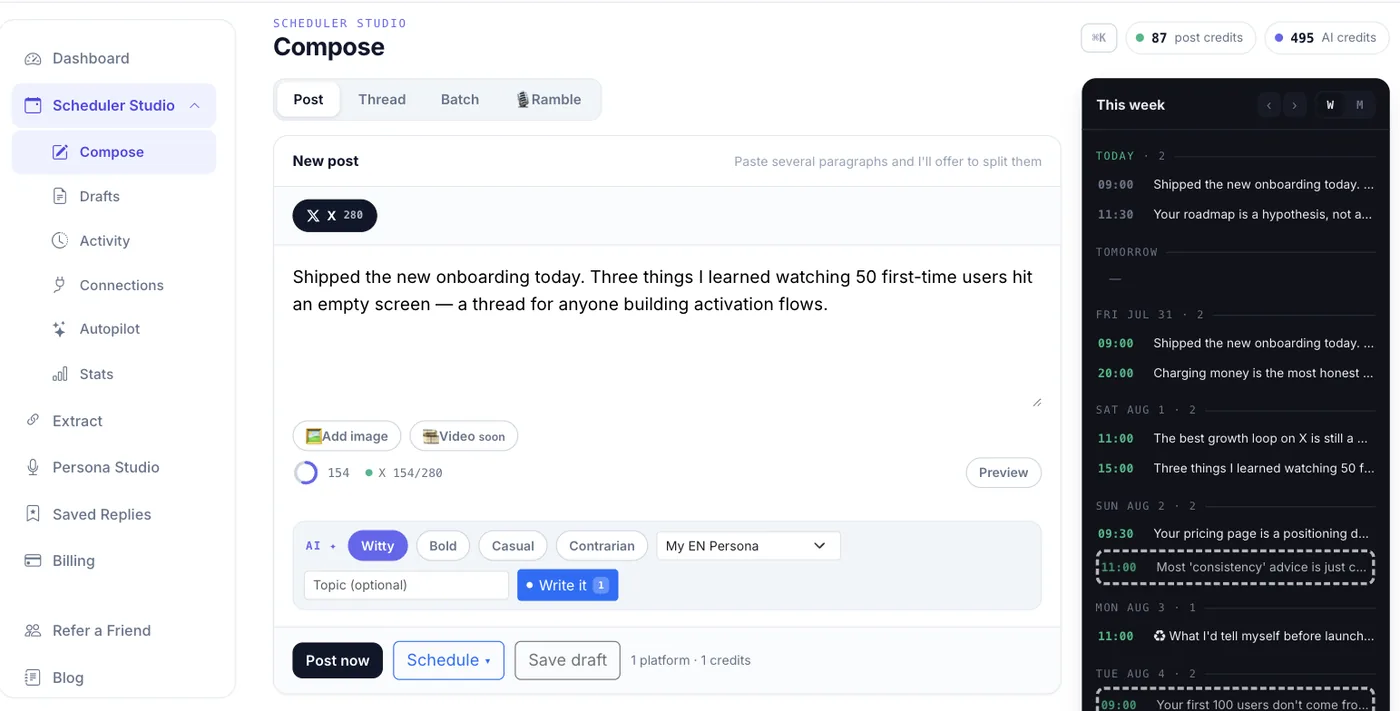
The composer and your week live on the same screen. On the left: Post, Thread, Batch and 🎙 Ramble modes, a live X preview, and a character ring that counts the way X counts. On the right: the calendar rail — today, tomorrow, and the days after, with every queued post, every Autopilot proposal (dashed outline), and every ♻ evergreen rewrite visible at a glance.
That rail is the point. You never schedule into a void; you schedule into a visible week. Empty day? You'll see it. Two posts stacked an hour apart? You'll see that too. There's a ⌘K command palette for jumping anywhere, and undo on every destructive action.
The AI bar under the editor writes in your voice — a Persona trained on a handful of your real posts (here's how that training works). Pick a tone — witty, bold, casual, contrarian — set an optional topic, and every AI button shows its credit cost before you click. Generations that fail are refunded.
Autopilot: drafts, never posts
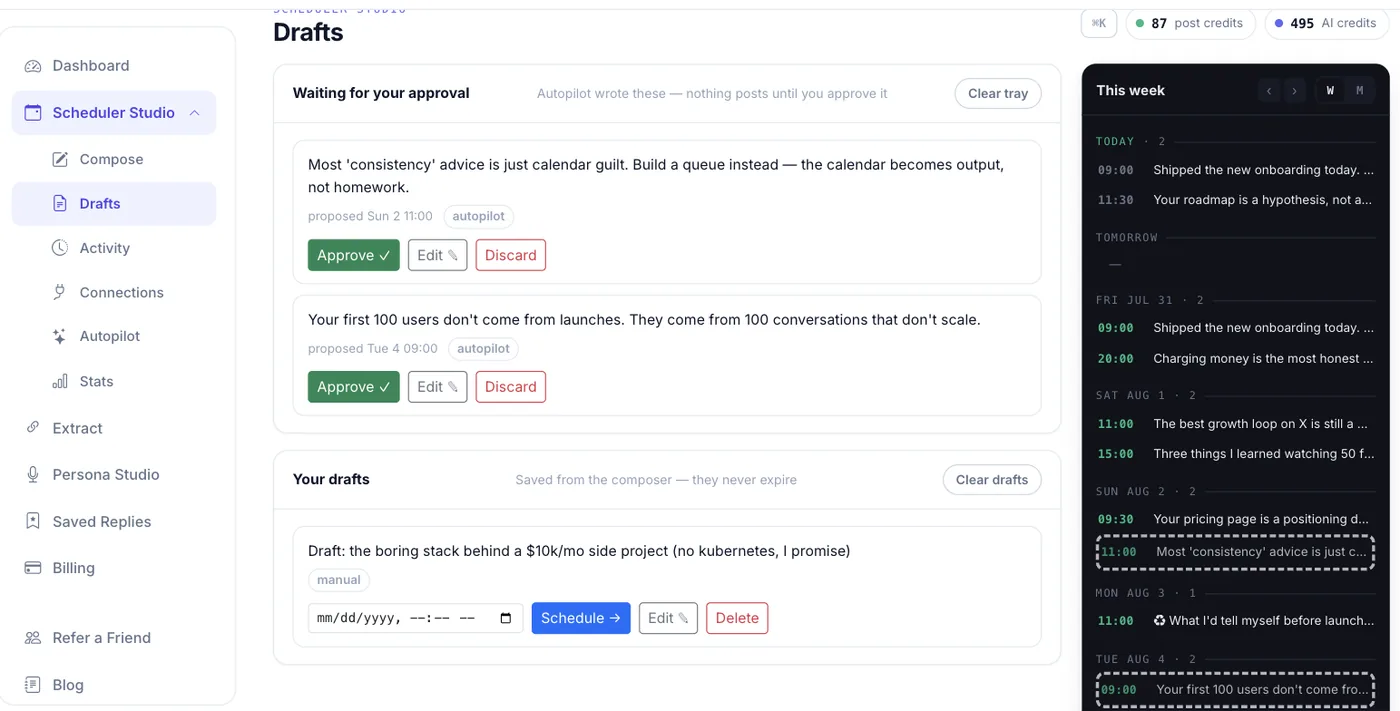
This is the feature we're most opinionated about. Autopilot scans your coming week, finds the days with nothing queued, and writes one draft for each at that day's best time.
And then it stops.
Everything lands in an approval tray with three buttons: Approve, Edit, Discard. The promise is printed right on the page — "Autopilot wrote these — nothing posts until you approve it" — and it's enforced in code: the publishing engine is physically incapable of claiming a draft. We keep an automated regression test whose entire job is proving that stays true.
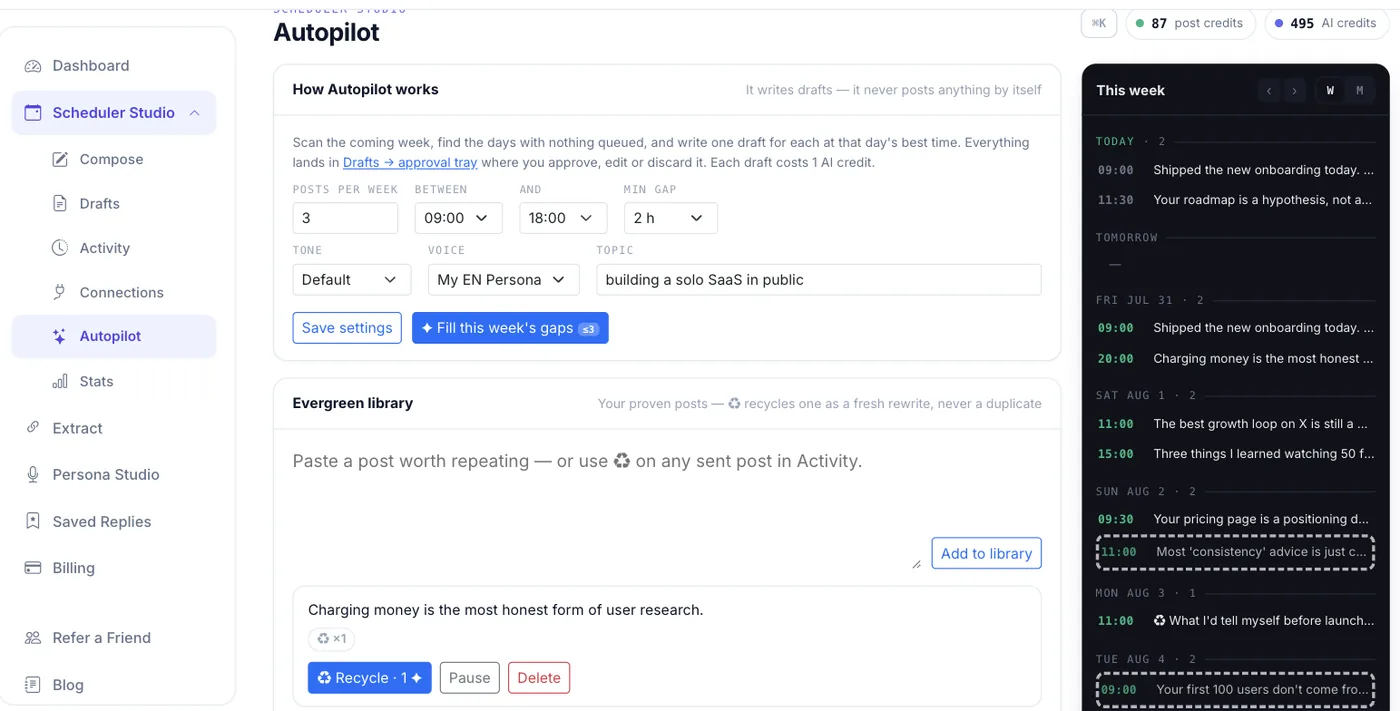
You set the guardrails — posts per week, posting window, minimum gap, tone, voice, topic — and Autopilot discloses its AI-credit spend every week. Below it lives the Evergreen library: save a post that worked, and ♻ Recycle produces a genuine AI rewrite — new structure, new opening, same idea. The server rejects anything that matches the original (and refunds the credit), so you never repost a duplicate.
Ramble: talk for five minutes, post for a week
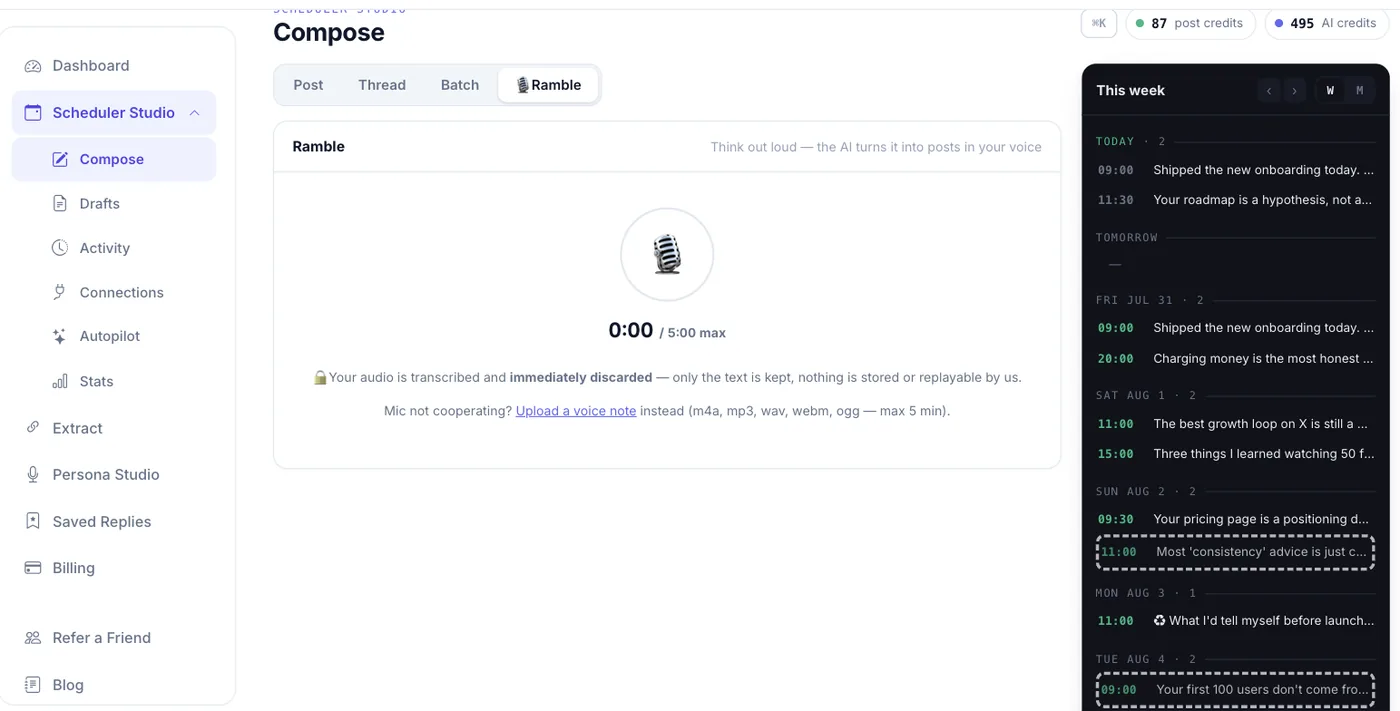
The best post ideas show up on walks, not at keyboards. Ramble lets you talk for up to five minutes — or upload a voice note straight from your phone — and turns the transcript into separate posts or one thread, in your trained voice. It tightens the rambling; it never invents ideas that weren't there.
One line on that screen matters more than the feature itself: 🔒 your audio is transcribed and immediately discarded. Only the text is kept. Nothing is stored or replayable by us.
Stats where every insight is a button
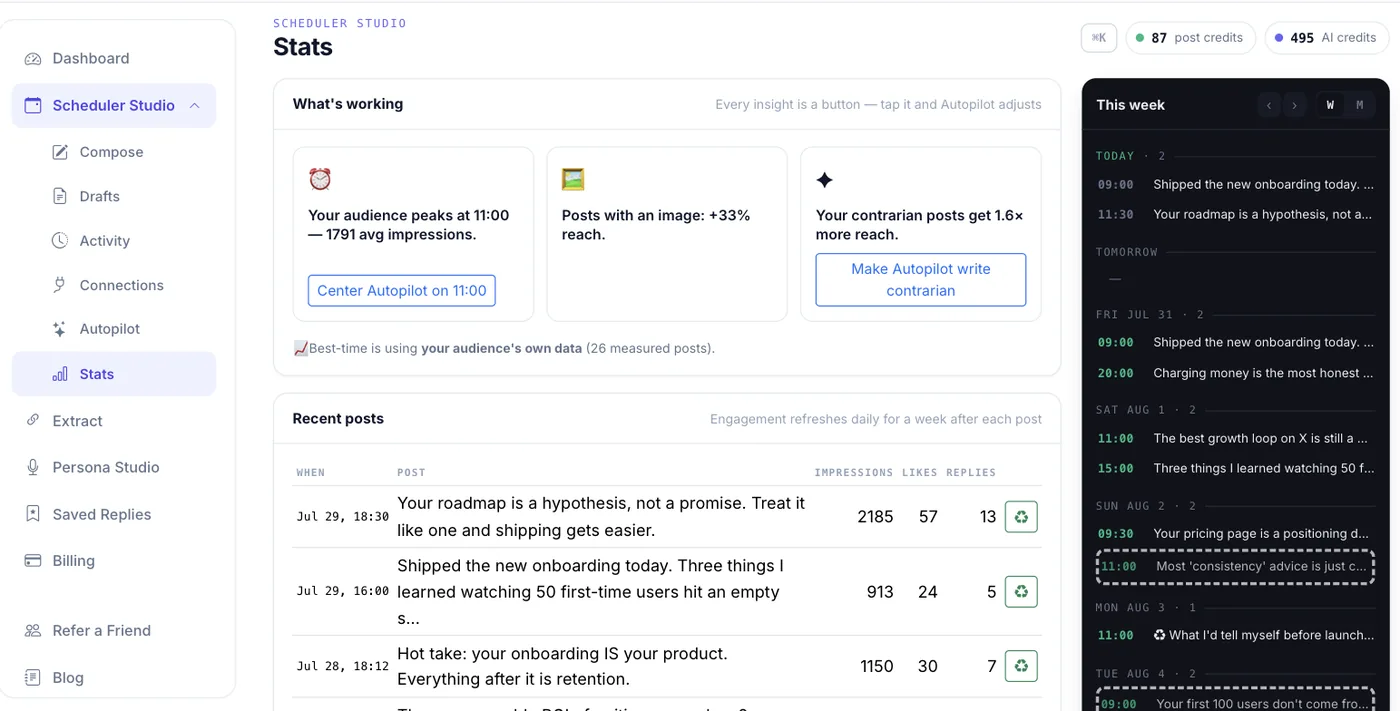
Most analytics dashboards tell you things. This one does things. Engagement is pulled for a week after each post and compressed into insight tiles — and each tile is an action. "Your audience peaks at 11:00" comes with a Center Autopilot on 11:00 button. "Your contrarian posts get more reach" comes with Make Autopilot write contrarian. Tap it, and next week's drafts are already smarter.
Best-time scheduling starts from a public engagement curve and switches to your audience's own data once it has ~20 measured posts — the page tells you which one is steering. And if a post ever fails to publish, you get an email the moment it happens, plus a plain-English error and a retry in Activity — sent, failed and queued, one list.
The details that don't demo well (but matter at 3am)
- Threads with a safety net. Native thread composer, per-segment images, and resumable delivery: if X hiccups after segment 3, only segments 4 and 5 are re-sent. No duplicates, no broken threads, no charges for segments that didn't go out.
- Images with AI alt text. One click writes the alt text most people skip — accessibility that actually happens.
- Honest billing. Scheduling is free. A post is only charged when it actually publishes, and you can cancel anything in the queue first.
- Your drafts never expire. Autopilot's tray proposals sweep after 48 hours (they're tied to time slots); anything you saved yourself stays forever.
Why "AI-enabled" here means something narrower — and better
Plenty of tools bolt a "write with AI" button onto a textarea. The difference in Scheduler Studio is that the AI is constrained by you at every layer: it writes in a voice trained on your posts, in tones you pick, on topics you set, into slots your own engagement data chose — and its output always crosses your approval before it touches your audience. AI does the labor; you keep the judgment. That's the whole design.
Try it in the next two minutes
A free account is a magic-link signup — no password, no card — with 30 AI credits to explore everything: draft posts, train your Persona, try Ramble, run an Autopilot scan. When you're ready to publish, Premium is $9.99/month at the founding price (50% off list, locked for life): 100 post credits and 3,000 AI credits a month.
Everything above works across X, LinkedIn, Bluesky, Mastodon and Pinterest, with Threads, YouTube and TikTok in beta — the studio was built platform-agnostic, so one queue and one trained voice carry across all of them. If you want the short version first, the feature tour on the homepage covers it in ninety seconds.