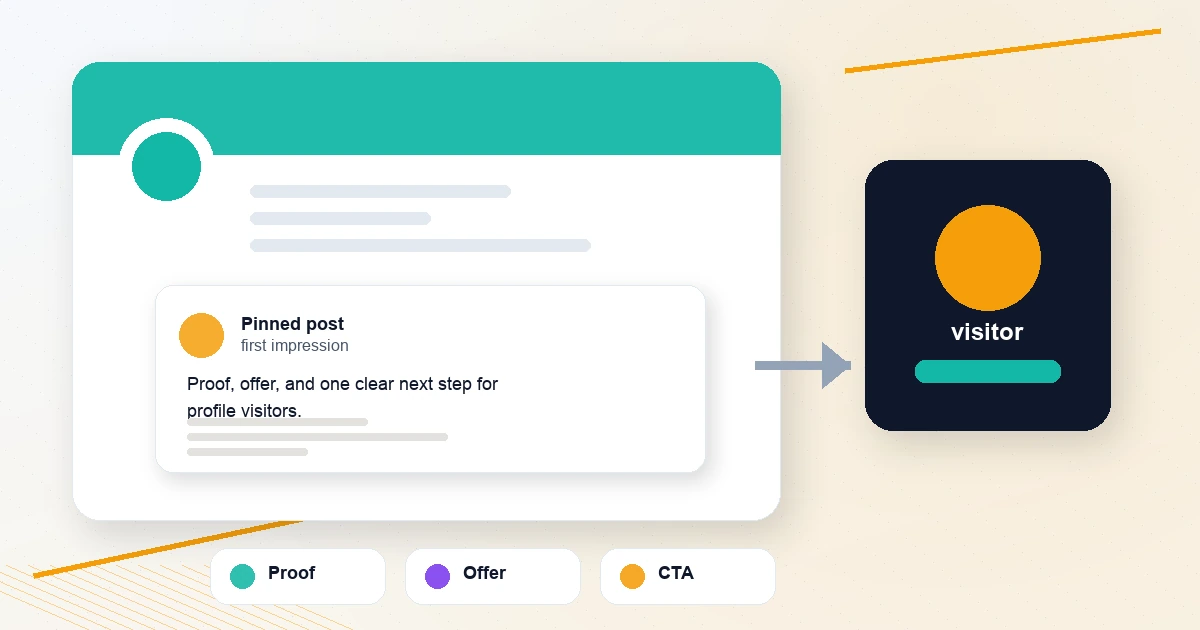
Your pinned tweet is not decoration. It is the one post you get to hold above the normal timeline, and X's own profile help says a pinned post is the first post people see when they visit your profile.
That makes it closer to a profile landing page than a normal tweet.
If someone clicks your profile after a good reply, a useful thread, or a recommendation from someone else, your pinned tweet should answer one question fast:
Why should this person follow you, trust you, or take the next step?
Most pinned tweets fail because they try to be too clever. They are vague manifestos, stale launch posts, old giveaways, or a random viral tweet from eight months ago. A better pinned tweet does three things:
- Shows who you help
- Gives proof that you are worth listening to
- Points profile visitors to one clear next step
If you want to build one without staring at a blank composer, use the free Pinned Tweet Planner. It turns your audience, proof, offer, and CTA into a copy-ready pinned tweet with a live X character count.
Quick answer: what should you pin on X?
Pin the post that best converts a cold profile visitor into the next useful action.
For most creators, that means one of these:
- A proof-backed offer
- A short origin story
- A "start here" thread
- A free tool or resource
- A profile promise
- A short demo
- A clean call to follow
The best pinned tweet is not always your most-liked tweet. It is the tweet that explains your account faster than your timeline can.
If your bio is unclear, fix that first with the X Profile Audit Checklist and Twitter Bio Generator. Your pinned tweet works best when your name, bio, banner, link, and pinned post all point in the same direction.
The pinned tweet formula
Use this structure:
- Audience: who this account is for
- Outcome: what they get from following you
- Proof: why they should believe you
- Offer: the most useful thing you want them to see
- CTA: one clear action
That does not mean every pinned tweet has to sound like a sales page. It means the reader should not need to decode your profile.
Bad pinned tweet:
Building in public. Follow for thoughts.
Better pinned tweet:
I help solo founders turn rough ideas into sharper launches.
Built 3 small apps, shipped daily for 8 years, and learned most launches fail because the message is unclear.
Start here: my free launch checklist.
The second one gives the visitor context. They know who the account is for, why it exists, and what to do next.
1. The Proof + Offer template
Use this when you already have credibility: customers, revenue, years of experience, a result, a portfolio, a case study, a community, or a useful tool.
Template:
[Proof / credibility]

I help [specific audience] [specific outcome].

[Best offer, resource, service, or promise]

[CTA]
Example:
Built 3 SaaS apps and shipped in public for 8 years.

I help indie founders write sharper X posts without sounding like generic AI.

Start with my free reply and profile tools:
https://xposterai.com/tools
Why it works: profile visitors do not need a long pitch. They need enough evidence to keep reading.
Build this version quickly with the Proof + Offer template in the Pinned Tweet Planner.
2. The Story + Offer template
Use this when your credibility comes from lived experience, a hard lesson, or a transformation.
Template:
I help [specific audience] [specific outcome].

Here's how I know: [short story or lesson]

[Offer or resource]

[CTA]
Example:
I help technical founders explain what they are building without sounding stiff.

Here's how I know: I spent years shipping apps before realizing distribution is mostly clear writing, consistent replies, and better positioning.

Start with this free profile audit:
https://xposterai.com/tools/x-profile-audit-checklist
Why it works: a story creates trust without pretending your profile is a resume.
If you want every reply and generated draft to sound closer to your actual writing style, pair this with Persona Studio. Your pinned tweet sets the promise; your replies should reinforce it.
3. The Question + Offer template
Use this when your audience has a clear pain point.
Template:
Trying to [desired outcome]?

[Useful offer, service, tool, or resource]

[Proof]

[CTA]
Example:
Trying to get more useful replies on X without spending all day in the timeline?

XposterAI helps you draft sharper replies from the post you are reading.

Start with free reply credits every day:
https://chromewebstore.google.com/detail/xposterai/knkdhaknphhnfdlhhckmhgfceepjlphi
Why it works: it starts with the visitor's problem instead of your biography.
This is a good format if your X profile supports a paid tool, newsletter, service, or free lead magnet.
4. The "Start Here" thread template
Use this if your account has several strong ideas but no single offer yet.
Template:
New here?

Start with these [number] posts:

1. [Topic / benefit]
2. [Topic / benefit]
3. [Topic / benefit]
4. [Topic / benefit]

Follow for [specific promise].
This works especially well for educators, consultants, and niche creators. Instead of asking visitors to scroll through your timeline, you curate the best path.
If you need to turn those ideas into a clean thread, use the Thread Outline Builder first, then polish the final post with the Twitter Thread Splitter if it runs long.
5. The free resource template
Use this when you have something immediately useful: a checklist, calculator, Notion template, Google Sheet, free tool, demo, or guide.
Template:
I made a free [resource] for [specific audience].

It helps you [specific outcome] without [common frustration].

Use it here:
[link]
Example:
I made a free set of X creator tools.

They help you count characters, split threads, audit replies, clean links, plan pinned posts, and format cross-platform posts without signup.

Use them here:
https://xposterai.com/tools
This is the safest pinned tweet for many creators because it gives before it asks.
If your resource is part of a broader content system, connect it to a posting rhythm with the Posting Calendar Generator or the social media content planning template.
6. The short demo template
Use this if your offer is easier to understand when people see it.
Template:
[Tool] helps [audience] [outcome].

Here is the 20-second version:

[demo GIF / video / screenshot]

[CTA]
This is strong for SaaS, Chrome extensions, AI tools, design apps, and small launches. The key is to keep the caption plain. Let the demo do the work.
For XposterAI, the clean version is:
XposterAI helps creators reply faster on X without sounding generic.

It reads the post you are viewing, drafts reply options, and lets you keep the final edit human.

Install the Chrome extension:
[link]
If the tool is tied to replies, link the pinned tweet to a practical guide like How to Write Better X Replies With AI or your install page. A pinned tweet should not send people into a maze.
7. The follow promise template
Use this if your main goal is audience growth, not clicks.
Template:
Follow me for [specific topic] if you are [specific audience].

You will get:

- [benefit 1]
- [benefit 2]
- [benefit 3]

No [thing your audience dislikes].
Example:
Follow me for practical X growth if you are a builder, founder, or solo creator.

You will get:

- reply workflows that do not feel fake
- free tools for posting faster
- honest notes on what works and what does not

No stolen hooks. No engagement bait.
This template is simple, but it forces specificity. "Follow for value" is not a promise. "Follow for practical X growth for solo creators" is.
What not to pin
Avoid pinning:
- A viral joke that does not explain your account
- A giveaway that ended months ago
- A launch announcement with no current relevance
- A screenshot with no link or next step
- A giant thread with no clear reason to read it
- A copied post or quote with no original credit
If the pinned tweet gets attention by leaning on someone else's work, read What X hates most: stolen content can cost you monetization and How to repost on X without stealing the original creator's credit. Profile trust is hard to win and easy to weaken.
How long should a pinned tweet be?
Short enough that the main point is visible without effort.
X still counts normal posts at 280 characters, and URLs count differently than plain text. The Twitter Character Counter is useful when you want exact X-style counting, including URL weighting and emoji behavior.
For a pinned tweet, do not use all 280 characters just because you can. A good range is often 120-240 characters plus a link. If you need more space, use a short thread and pin the first post.
How often should you update your pinned tweet?
Review it whenever one of these changes:
- Your main offer changes
- Your audience changes
- You launch a better resource
- Your best proof gets stronger
- Your profile starts attracting a different kind of visitor
- The pinned tweet no longer matches your bio
For active creators, a monthly review is enough. For founders during a launch, update it whenever the campaign changes.
FAQ
Can you pin someone else's post on X?
X's profile help describes pinning one of your own posts to your profile. If you want to highlight someone else's work, repost it, quote it with context, or share it with a source link instead. The Tweet Source Link Extractor is built for that exact use case.
Should my pinned tweet sell something?
Only if selling is the next logical step. A pinned tweet can sell an offer, point to a newsletter, offer a free tool, introduce your best thread, or simply explain why someone should follow. The mistake is not selling; the mistake is making the next step unclear.
Should I pin my most viral tweet?
Not automatically. Pin the viral tweet only if it attracts the right audience and explains why your account is worth following. If it is funny but unrelated, it may bring profile visits without converting them.
What is the easiest pinned tweet template?
Use Proof + Offer:
[Proof]

I help [audience] [outcome].

[Useful resource or offer]

[CTA]
You can generate that structure in the Pinned Tweet Planner with four fields.
Build your pinned tweet
The fastest path:
- Audit your profile with the X Profile Audit Checklist.
- Tighten your bio with the Twitter Bio Generator.
- Draft your pinned post in the Pinned Tweet Planner.
- Check length with the Twitter Character Counter.
- Revisit it monthly with your broader content planning template.
Your pinned tweet does not need to be perfect. It needs to be useful, current, and clear enough that a profile visitor knows what to do next.